“Question 4(c)” – Into AI, asking the right questions: Different Tools for Different Jobs
This is the third piece sitting under Question 4 of this series. The parent argues that making AI useful is a conversation, not a prompt. The first piece, 4(a), covers configuration. This one is about something most public AI conversation gets wrong: there is no single best AI, and treating the tools as interchangeable leaves value on the table.
A short note before we start. This piece is around 2,800 words. The argument is straightforward but the examples are specific. If you only have time for the headline, it is this: different AI products have different strengths, and the user who matches the tool to the task gets noticeably better results than the user who picks one and forces everything through it. The rest of the article is the working pattern, the examples, and the honest acknowledgements about why this is harder than it sounds.
A small story about a coyote
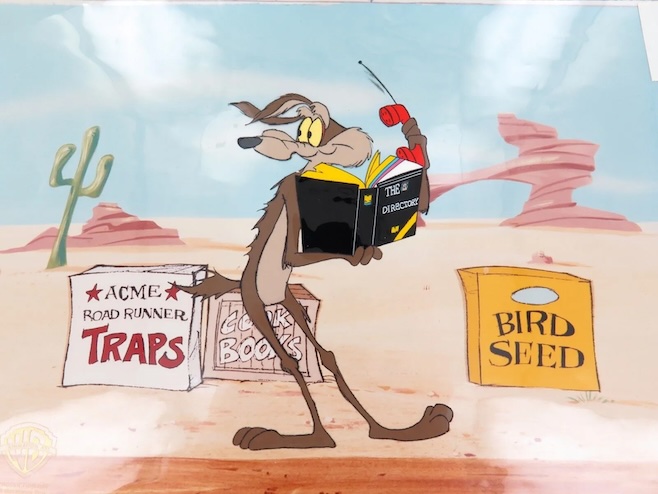
The Roadrunner cartoons had a running joke about the company that supplied Wile E. Coyote with his disastrous gadgets: ACME, “A Company that Makes Everything.” Whatever Wile needed, ACME sold it. Rocket skates. Anvil delivery. Earthquake pills. Spring-loaded shoes. The catalogue was infinite and the products were uniformly catastrophic.
I needed a fictional company name for an example in another article. Something obviously fake, recognisably absurd, ideally pulling on the Wile E. Coyote reference. So I asked Gemini.
The first answer missed. Gemini gave me a history of ACME and some backronyms (“A Custom Made Error” was offered as a fan favourite). Useful but not what I needed.
So I rephrased. Not the company that supplies him. A company name that plays on his name itself.
Gemini came back with a list of options. Most were direct puns: Wile E. & Co. Logistics. Wiley & Associates Engineering. W.E. Coyote Acquisitions. Useful, but pedestrian. One of the options on the list was “Roadrunner Interception Services.” That one had something. I expanded it: Roadrunner Interception, Surveillance, Kidnapping Services Inc.
That gave me R.I.S.K.S. Inc. The acronym landed before I had finished typing the name.
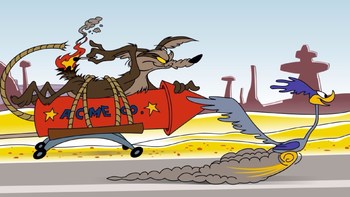
I then asked Gemini for taglines. Gemini offered three. I picked the philosophical one: “Where the pursuit is the product.” I sourced an image separately, paired it with the caption, and the joke was complete.
That entire creative thread happened in Gemini, while the article it would eventually appear in was being drafted in Claude. Two different AIs, neither of which knew the other was involved, contributing to the same output. The image came from a third source that knew about neither AI. I was the only entity in the chain with the full picture.
This is what multi-AI working actually looks like. It is not picking a favourite. It is using the right tool for each part of the task, and being the human who keeps the parts coherent.
AI products are not interchangeable
The current public conversation about AI mostly treats it as one thing. “AI can do this. AI struggles with that. AI is improving rapidly.” The collective noun papers over enormous differences between products that share a category but not a competence profile.
Think about it the way a tradesman thinks about their toolkit. A claw hammer, a rubber mallet, a sledgehammer, and a tack hammer are all hammers. They share a category. They are not interchangeable. You would not drive panel pins with a sledgehammer, and you would not remove nails from a piece of wood with a rubber mallet. You reach for the one suited to the job. The DIYer who owns one hammer and uses it for everything is not a bad DIYer. They are a constrained one. The work that the hammer they own handles well comes out fine. Everything else comes out worse than it had to.

AI products work the same way. Grok, ChatGPT, Claude, Gemini, and the various smaller players are not interchangeable. They are built differently, trained differently, and tuned for different default behaviours. Asking the same question of each will produce qualitatively different output, as the slop comparison in piece 4(d) of this series demonstrates empirically. Same prompt, four AIs, four genuinely different results.
A user who picks one AI and forces every task through it is the DIYer with one hammer. The output that the chosen AI handles well comes out fine. The work that another AI would handle better comes out worse than it had to. The user does not necessarily notice, because the comparison case is invisible. The output looks adequate because there is nothing on the screen showing what better would have looked like.
Multi-AI working closes that comparison gap. Not by using everything for everything, which would be exhausting and pointless. By having more than one tool in the workshop and choosing which to reach for based on what the task wants.
How I actually use them, as of early 2026
The working inventory, with the standard caveat that AI products evolve fast and any specific assignment of tool to task will date.
Grok I use for conversation, social media interaction, and quick lightweight queries. Nothing serious. The reason is honest rather than dismissive: in the kinds of tasks I would otherwise hand to an AI for real work, Grok’s output is consistently weaker than the alternatives. Sibling piece 4(d) shows what this looks like in practice. Useful for low-stakes interaction. Not useful for anything I am going to publish, send, or rely on.
Gemini I use almost never, with one exception. Sometimes I am searching for something specific and cannot frame the search well enough to surface it. Gemini, embedded in Google’s search infrastructure, sometimes finds what the search bar alone cannot. It is the tool I reach for when I know what I am looking for but not what to call it. The RISKS Inc. example earlier in this article was one such case: I knew I wanted a fictional Wile E. Coyote-themed company name, and Gemini got me to the seed I could grow into the right answer.
ChatGPT I use for rewriting. The classic case is “Here is an email I have written to my boss, customer, or staff. Please rewrite it so it lands the way I mean it to.” ChatGPT is good at this. The output usually keeps the substance of what I wrote and shifts the register to whatever the situation calls for. It is also good at explaining what it changed and why, which makes it a teaching tool as well as an output tool.
Claude I use for work, especially long-form drafting and analysis. The series of articles you are currently reading is being written in a Claude Project (described in detail in piece 4(a)). Cowork, Claude’s collaborative workspace tool, is particularly good for sustained work where the human and AI iterate over time. Where ChatGPT is excellent at single-pass rewrites, Claude is excellent at the kind of multi-session conversation where the work develops across many exchanges.
Claude Code I use for coding. This is the tool I want to spend a moment on, because it is doing something different from everything else on this list.
What Claude Code actually does
Most AI coding assistants produce code on demand. You ask, they generate, you copy and paste, you test it yourself, you debug if needed, you ship. The AI’s role is the typing. Everything else is yours.
Claude Code operates differently. When asked to build something, it does not just write code. It writes the code, generates test cases for the code, runs the tests, builds Docker images if the work requires them, sandboxes execution to confirm behaviour, identifies its own failures, and rewrites until the tests pass. It then reports what it did, including what went wrong on earlier iterations and how it fixed them.
For everything I do in code (Perl, Python, Lua, C, C++, Objective-C, and Swift, to name what I touch) the result is closer to having a competent junior developer who runs their own work than to having an AI that types code at you. The output is correct on first generation more often than not, and when it isn’t, the self-correction loop catches the failure before I see it.
Earlier in 2026, before Claude Code existed in my toolkit, I was bouncing between Grok and ChatGPT for the same kinds of tasks. Grok could attempt the work but rarely produced anything elegant. ChatGPT was better at writing clean code and noticeably better at explaining where I had gone wrong when something broke. Both required me to do the testing, the sandboxing, and the production-environment validation myself. The shift to Claude Code was not because the others got worse. It was because Claude Code got noticeably better than them at this specific kind of work, in a way that mattered to my workflow. The cognitive load of “did the AI get this right” dropped considerably, because the AI was now answering that question for itself before showing me the output.
This is not a recommendation for everyone. Claude Code is built for users who already write code, who can read what it produces, and who can verify when it claims to have completed something. It is not a tool for people who do not code. The article is not telling you to use it. The article is making a point about category differences: Claude Code is in a different category from “an AI that helps with coding tasks,” and treating it as the same kind of thing would miss what it actually is.
The point cuts both ways. You would not use Claude Code to generate an image, and you would not use an image-generation AI to write a Perl script. Both would technically attempt the task. Neither would produce useful output. The fact that both are called “AI” in casual conversation hides the obvious truth that they are entirely different categories of tool, suited to entirely different categories of work. The hammer-and-mallet logic applies here too. Claude Code is a specialised tool for a specialised task. So is the image generator. Pretending otherwise produces frustration and slop in equal measure.
How the inventory got that way
The current assignment of tool to task did not arrive fully formed. It emerged through use.
Earlier in 2026, before Claude was in my toolkit at all, I was bouncing tasks between Grok and ChatGPT and trying to work out which of them was good for what. Both were technically capable of most things. Both produced workable output most of the time. The differences only became visible across enough comparison cases to form a pattern.
Take regular expressions, the small text-matching syntax that programmers use to find and manipulate patterns in strings. Grok rarely got a regex right on first attempt and frequently produced garbage. It was, however, surprisingly good at explaining what an existing regex did once you handed it one that worked. ChatGPT could often take several rounds of iteration to land on a working regex, but it would get there. The pattern was clear: Grok was useful for understanding regex, not for producing it. ChatGPT was useful for producing it, given enough conversation.
Lua scripting was a similar story. Lua is a small, embeddable language used widely in game development and configuration tasks. Grok rarely produced anything coherent, let alone usable. ChatGPT would get the general layout right but the output was usually buggy. What ChatGPT was genuinely good at, oddly, was the inverse: hand it buggy code, and it would often identify the problem, explain why it was a problem, and present usable fixes. The pattern there was that ChatGPT was a better diagnostician than producer in this specific domain.
Patterns like this accumulate. Over months of use, the working assignment of tool to task starts to crystallise. Not because anyone wrote a guide telling you which AI to use for which kind of work, but because the comparisons happen organically and the user notices what works.
When Claude entered the toolkit, the comparison continued. Claude was better at sustained long-form work than ChatGPT, particularly when the task required keeping context across many exchanges. Claude Code, when it arrived, displaced both Grok and ChatGPT for almost everything code-related, for the reasons described above. The inventory you read in the previous section is the current snapshot of a process that has been running for over a year.
This matters because the article is not handing you a list to copy. The list dates the moment it is published. What the article is handing you is a method: try the available tools on real work, notice the differences, calibrate the assignment, revisit when things change. The DIYer with one hammer became a DIYer with a toolkit by buying tools, using them, and learning what each was for. The same applies here.
What the slop comparison taught me
The next piece, 4(d), of this series runs a controlled experiment. Same prompt, given to four different AIs (Grok, Claude Sonnet 4.6, Claude Opus 4.7, and ChatGPT-thinking) on the same day, all using plain chat sessions rather than configured Cowork or Project setups. Five specimens captured. Diagnostic walk-throughs of each. The article’s argument is about how to recognise AI slop. The experiment also produces data relevant to this article.
Every AI produced output. The outputs were qualitatively different. Grok produced slop in both the bare-prompt and configured-prompt conditions. Claude Sonnet produced cited but shallow output. ChatGPT-thinking and Claude Opus produced genuinely useful work with institutional sources, honest caveats, and actionable recommendations.
The differences were not random. They mapped onto exactly the kinds of differences this article has been describing. Grok handled the brief the way Grok handles things: quickly, structurally, without depth. ChatGPT-thinking handled it the way ChatGPT-thinking handles things: with its self-imposed verification step before drafting and care about source quality. Claude Opus handled it the way Claude Opus handles things: with explicit acknowledgement of its own uncertainty and a closing reminder for the user to verify.
Each AI was being itself. The user who reads piece 4(d) and concludes “Grok is bad” has missed the point. Grok is not bad. Grok is the wrong tool for evidence-based research synthesis. It is the right tool for conversation, social interaction, and quick lightweight queries. The output that piece 4(d) diagnoses as slop is what Grok produces when you ask it to do something it is not built for. Asking the rubber mallet to remove a nail. The mallet is not bad. It is being asked to perform a task it cannot perform.
This is the practical version of the multi-AI argument. Knowing which tool to reach for is not theoretical. It is the difference between getting useful work and getting slop. The same prompt that produced slop from one AI produced useful work from another, on the same day, with no other variables changed. The variable was the tool.
Cross-pollination as a working pattern
There is one more multi-AI pattern worth describing, particularly for users on free tiers who cannot easily access the configuration sophistication discussed in piece 4(a). It costs nothing and works on every AI product simultaneously.

The pattern is simple. Take output from one AI. Hand it to another AI with the prompt “have a look at this and tell me what you think.” Read the response. Take the response back to the original AI, or use it to refine the work yourself, or both.
This is multi-AI orchestration with no special tools required. The AIs do not talk to each other. They do not know the others exist. You are the mechanism by which one AI’s output becomes another AI’s input.
In practice this often produces useful results that neither AI on its own would have generated. Grok produces something. ChatGPT, asked to evaluate it, identifies what is missing or wrong. The combined output is better than either alone. Earlier in 2026, before Claude was in my toolkit, this was how I extracted useful work from the free-tier combination of Grok and ChatGPT. Each AI compensating for the other’s weaknesses, with me sitting in the middle deciding what to keep and what to discard.
It is not magic. The pattern works best when the two AIs have different strengths, which is the same observation the rest of this article has been making. It is also slower than working with a single capable tool, because the user is now running two conversations and synthesising between them. But for users who do not have access to the more capable paid tools, or who want to test whether AI A’s output holds up when AI B looks at it, the cross-pollination pattern produces real value.
It is also a useful diagnostic. If AI A and AI B disagree about something AI A produced, that disagreement is information. The user has a starting point for figuring out which is right, or whether the question was malformed in a way that produced ambiguity. Either way, the disagreement is more useful than a single uncontested answer that might be wrong.
The honest part
Multi-AI working has costs the article should acknowledge.
The cognitive overhead is real. Keeping four different mental models active across a working day requires more attention than keeping one. Each tool has different login state, different conversation history, different default behaviours, different strengths and weaknesses. The user has to remember which is which. New users to AI should not start here. Pick one tool, get comfortable with it, learn what it does well, then add the second when the first cannot handle something.
The orchestration is also a skill. The RISKS Inc. example I opened with looked easy. It was easy because I have been doing this kind of multi-AI work for over a year. Earlier in that period, I bounced between Grok and ChatGPT and got worse results than I get now, because I had not yet learned which was good for what. The comparisons that look obvious in retrospect took months of trial to settle.

There is also a financial dimension worth being honest about, but it is more limited than people often assume. I used Grok and ChatGPT as free-tier tools for months. The behaviours described in the regex and lua examples earlier in this article happened entirely on free accounts. When I later paid for ChatGPT, the regex and lua patterns did not change. Paid tiers gave me more iterations before hitting usage limits. They did not change what the underlying tools were good or bad at. The category-of-tool problem is structural, not tier-related. Where paid tiers do help is configuration sophistication: the persistent memory, the project structures, the model selection that piece 4(a) describes. None of that changes Grok into something that can write elegant code, or ChatGPT into something that produces working Lua on first attempt. The hammer is still the hammer regardless of how much you pay for it, how big it is, or how much it weighs.
Finally, the multi-AI working pattern requires the user to be the entity orchestrating. The AIs do not talk to each other. They do not know what the others are doing. The human is the only point in the system with the full picture. That is more responsibility, not less. If the orchestration is wrong, the output suffers, and there is no AI to blame.
What this means in practice
Strip the article down to what it is actually saying.
There is no single best AI. The tools you have access to are different from each other in ways that matter for different kinds of work. The user who picks one and forces everything through it is leaving value on the table without realising it. The user who picks the right tool for each kind of task gets noticeably better output across the range.
Working out which tool is right for which task is itself a skill, learned through use rather than from a guide. The current state of any user’s tool inventory will date as the products evolve. The method (try, notice, calibrate, revisit) is durable.
Configuration, the subject of piece 4(a), works inside each tool. Multi-AI working, the subject of this piece, works across tools. Both layers compound. The user who has configured each tool well and chosen the right tool for each task is doing the work the conversation-not-prompt argument has been describing across this entire series.
Slop, the subject of piece 4(d), is what happens when neither layer is applied. Generic configuration, wrong tool, no judgement, no verification. The output looks like work without bearing the weight of work.
The alternative is straightforward. Configure your tools. Know what each is for. Reach for the right one when the task warrants it. Pay attention to what the output looks like. Push back when it falls short. Verify before publishing.
This is not exotic. It is what any tradesman does with a toolkit. The novelty is that AI tools are new enough that most users are still figuring out what each is for. The article is not arguing that the working pattern is hard. It is arguing that the working pattern is worth learning, and that learning it pays back across every task you give an AI from this point forward.